Kiwi keeps a running account of every product at every branch: what came in through deliveries, what went out through sales, and what is physically in the tanks. This chapter covers reading that account, and what to do when the numbers disagree.
Who this chapter is for: branch managers day to day; supervisors and administrators reviewing stock.
The Inventory page
Open Inventory from the sidebar.
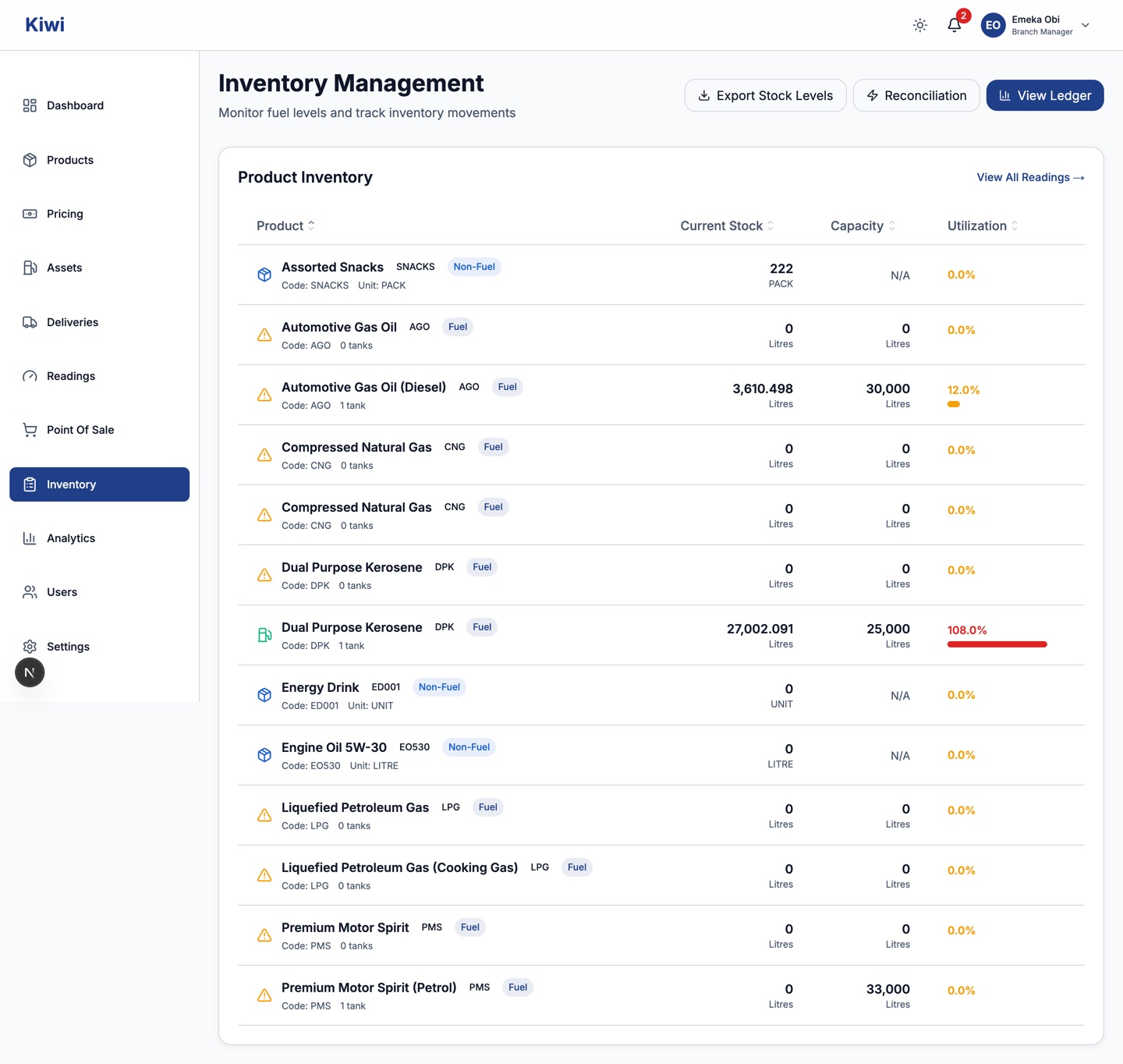
The Product Inventory table lists every product enabled at your branch with its current stock, tank capacity and utilisation percentage. Fuel stock comes from tank readings; non-fuel stock comes from the ledger balance. Export Stock Levels downloads the table; View Ledger and Reconciliation open the two tools below.
A utilisation figure over 100 percent, or a stock figure that does not match what you can see on the ground, is a prompt to check recent readings and deliveries, not a number to ignore.
The stock ledger
The ledger is the full transaction history behind the stock figures. Every delivery, sale and adjustment is one row that can never be silently changed, only added to.
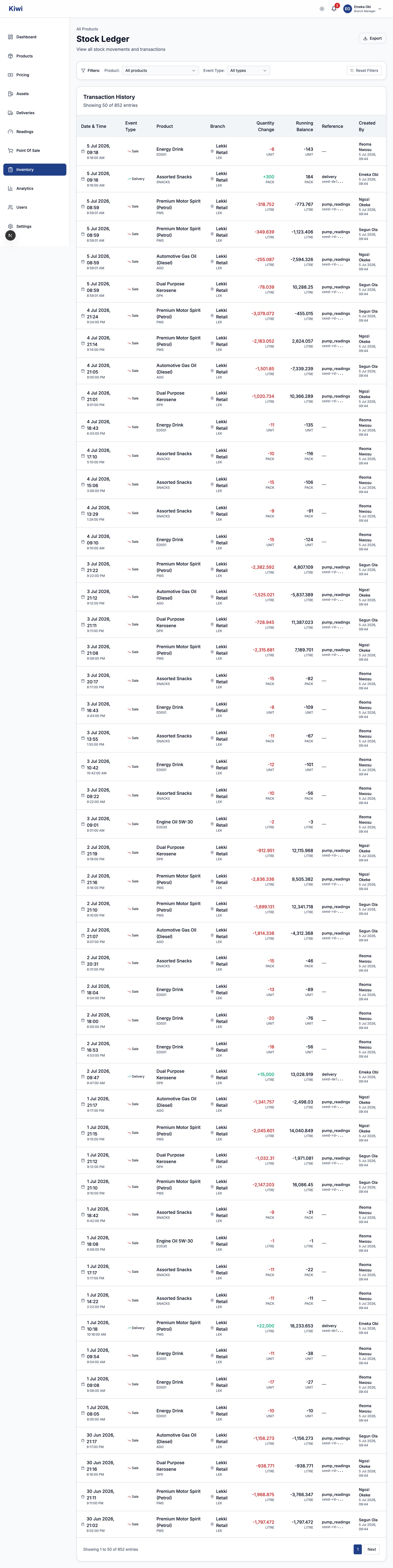
- Each row shows the date, event type, product, branch, the quantity moved (in for deliveries, out for sales), the running balance after the movement, a reference to the source record, and who created it.
- Filter by branch (managers see their own branch only), product and event type. Filtering by one product turns the ledger into that product's statement, with summary cards for current balance and the count of stock-in and stock-out movements.
- Use the ledger when investigating: it answers "what exactly happened to this product between Tuesday and Thursday" better than any summary screen.
The Reconciliation Center
Open Inventory, then Reconciliation. Reconciliation compares what should have happened to your fuel with what actually happened, like balancing a bank account: fuel in (deliveries), fuel out (sales), balance (what is left in the tanks).
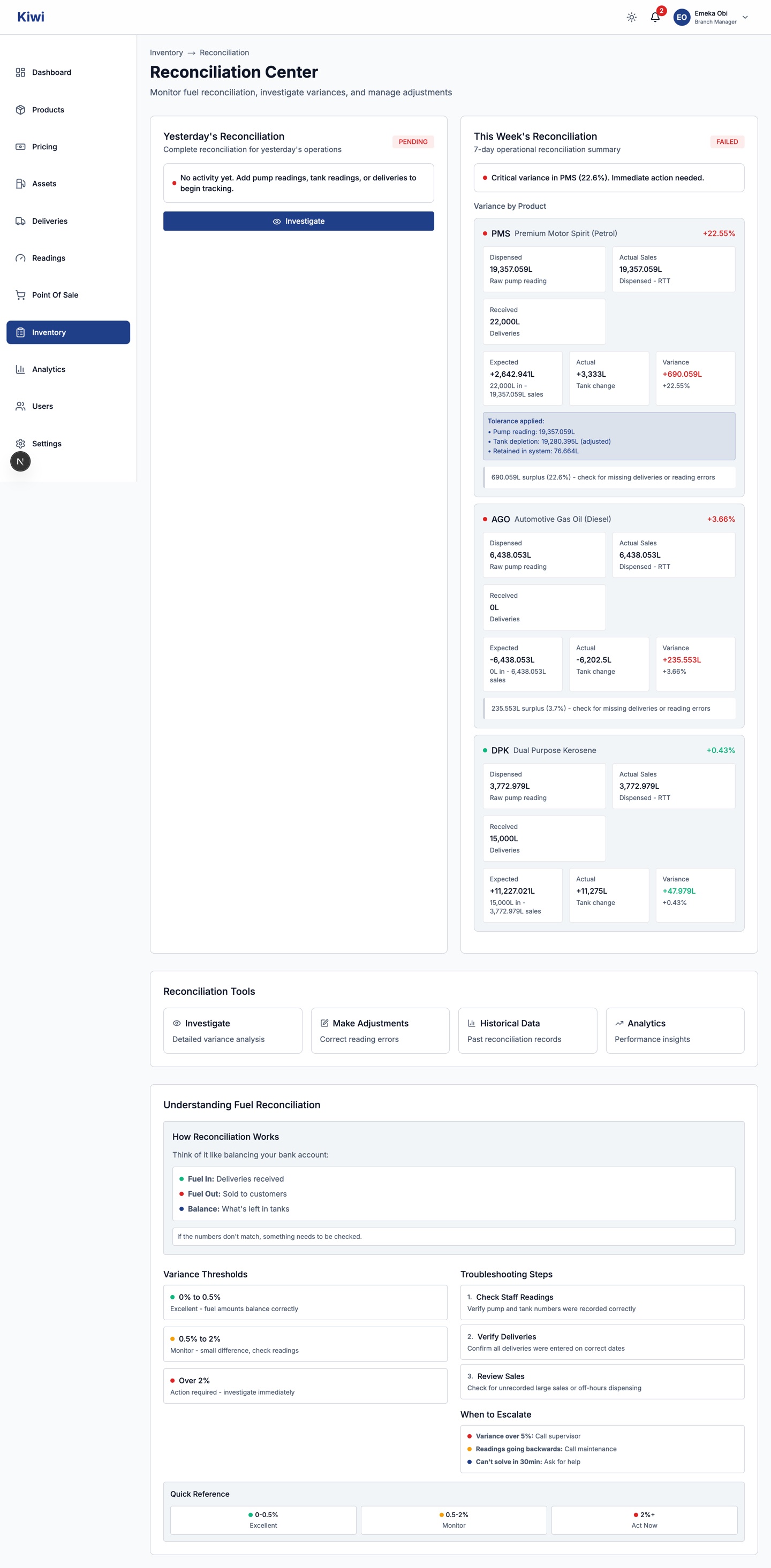
Two cards summarise Yesterday's Reconciliation and This Week's Reconciliation. For each product you get:
- Dispensed: raw pump meter movement.
- RTT: fuel returned to tank during proving or maintenance (see the Daily Operations chapter). Subtracted from dispensed to give Actual Sales.
- Received: deliveries into the tanks.
- Expected change (received minus sales) against the Actual tank change from your dip readings, and the resulting Variance in litres and percent.
Where pump tolerance settings apply, the card shows the tolerance-adjusted figures and notes how many litres the tolerance retained; the variance percentage you act on is the one after tolerance.
Reading the variance:
| Variance | Meaning | What to do |
|---|---|---|
| 0 to 0.5% | Excellent, fuel accounts balance | Nothing |
| 0.5 to 2% | Small difference | Monitor; double-check readings |
| Over 2% | Action required | Investigate immediately |
A surplus suggests a missing delivery record or a reading error; a shortage means verifying sales records and checking for leaks. Escalate when a variance passes 5 percent, when meters appear to run backwards (call maintenance), or when you cannot explain a variance within about 30 minutes.
If the card reports Configuration Issues, a pump or tank at your branch is dispensing untracked volume because it is not assigned to a product. Reconciliation cannot be complete until an administrator fixes the assignment under Assets.
Investigating a variance
Click Investigate on the daily card (or Investigate under Reconciliation Tools) to open the Reconciliation Investigation page. It breaks yesterday down product by product: every pump reading, tank reading and delivery that fed the calculation, so you can spot the entry that does not belong. Work through the troubleshooting steps in order: check staff readings first, verify deliveries against waybills, then review sales.
Correcting a wrong reading
If the investigation shows a reading was entered wrongly, correct it rather than living with a false variance. Click Adjust on a variance card, or Make Adjustments under Reconciliation Tools.
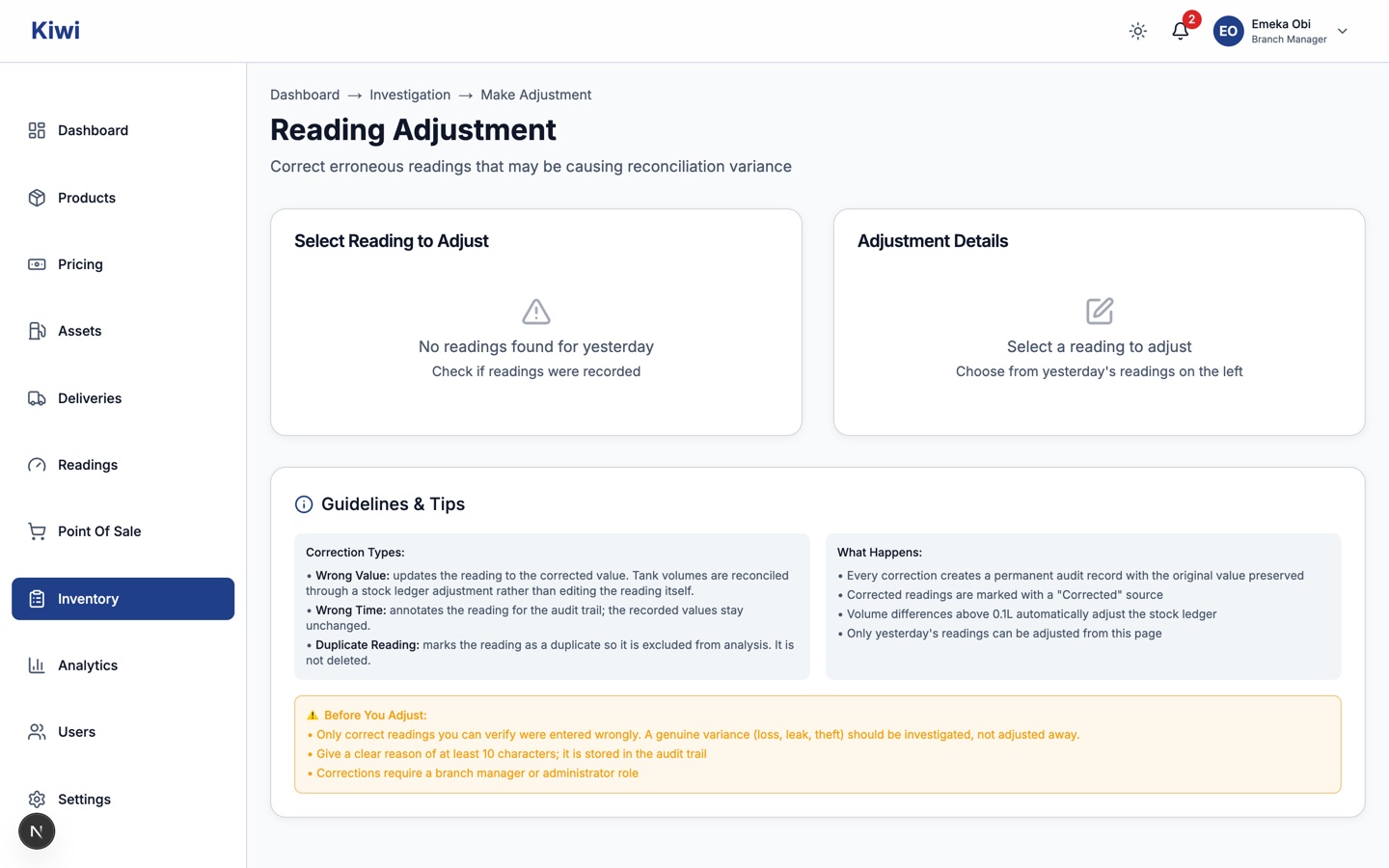
- Select the faulty reading from yesterday's readings on the left. Only yesterday's readings can be adjusted from this page.
- Choose the Correction Type:
- Wrong Value: enter the Corrected Value in litres. Tank volumes are reconciled through a stock ledger adjustment rather than editing the original reading.
- Wrong Time: annotates the reading for the audit trail; the recorded values stay unchanged.
- Duplicate Reading: marks the reading as a duplicate so it is excluded from analysis. It is not deleted.
- Give a clear Reason for Adjustment of at least 10 characters. It is stored permanently in the audit trail.
- Submit. Corrected readings are marked with a "Corrected" source, and the original value is preserved in the correction record.
Corrections need a branch manager or administrator role. Only correct readings you can verify were entered wrongly: a genuine variance from loss, leak or theft should be investigated and escalated, not adjusted away.
Quick reference
| Item | Rule |
|---|---|
| Fuel stock | Calculated from tank readings |
| Non-fuel stock | Calculated from the ledger balance |
| Ledger entries | Permanent; corrections add new entries, nothing is deleted |
| Variance bands | Under 0.5% fine; 0.5 to 2% monitor; over 2% investigate; over 5% escalate |
| Adjustments | Yesterday's readings only; reason of 10+ characters; branch manager or administrator role |
| RTT | Subtracted from dispensed volume before sales are computed |