Kiwi watches your operation continuously and tells you when something needs attention. This chapter explains where those messages appear, what each one means, and what to do about them.
Who this chapter is for: everyone; the actions mostly fall to branch managers and administrators.
Where alerts appear
On the dashboard, the alerts panel sits at the top. Alerts of the same kind are grouped into one row (for example "4 pump readings overdue") with a single action button; expand the row to see each item with its own link. Rows are ordered by severity.
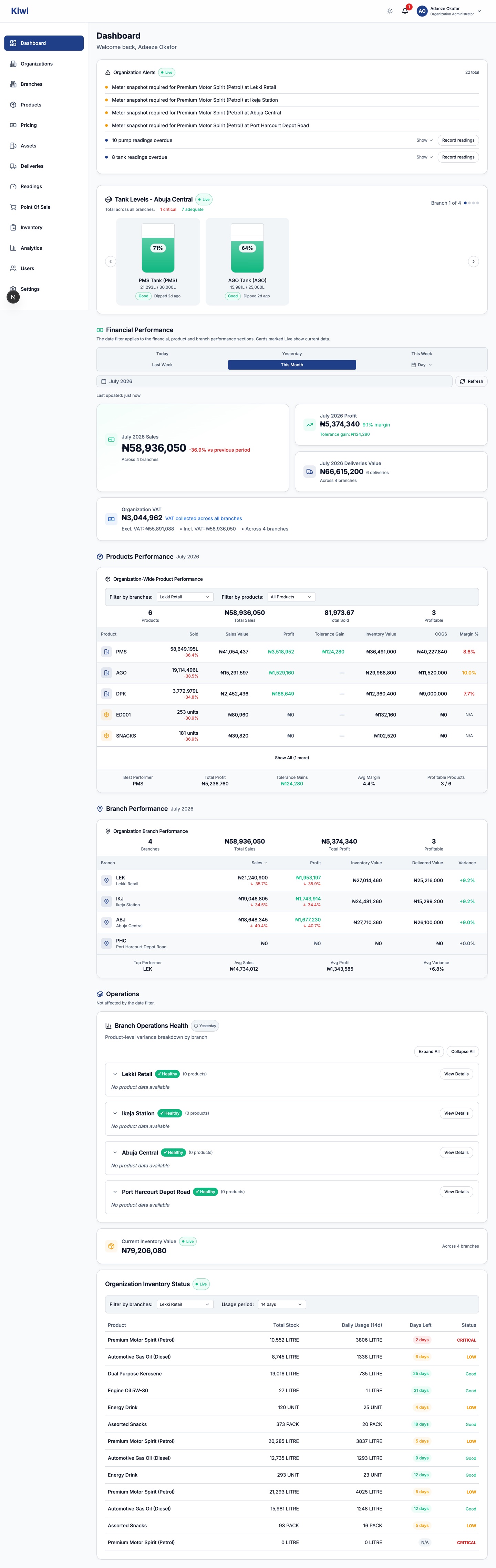
In the notification bell on the top bar, with a badge counting unread notifications. The panel filters between all and unread, and you can mark items read one at a time or all at once. Notifications are delivered inside Kiwi; check the bell as part of your daily routine.
Some alerts also appear exactly where you need them: a pending price change shows a blocking banner on the pump reading form itself (see the Pricing chapter).
The alerts and what to do
| Alert | What it means | What to do |
|---|---|---|
| Pump reading overdue | A pump has had no reading in 24 hours | Record the reading, or a no-reading entry if the pump is down (Daily Operations chapter) |
| Tank reading overdue | A tank has had no dip in 24 hours | Record the tank reading |
| Low tank level | A tank has fallen below its configured threshold (critical or low) | Plan a delivery; check the threshold settings if the level is actually fine |
| Missing price | A product is being sold without an effective price, so sales cannot be valued | Set the price (Pricing chapter) |
| Meter snapshot required | A scheduled price change needs your branch's snapshots | Submit them promptly (Pricing chapter); the alert turns red once overdue |
| Variance alert | Stock variance breached the configured threshold in the last day | Investigate through the Reconciliation Center (Inventory chapter) |
| Reading anomaly | Automated checks flagged a reading as suspicious | Verify the reading; correct it if it was entered wrongly, escalate if it is genuine |
How the monitoring works
Kiwi's checks run automatically every 15 minutes; you do not need to trigger anything.
Anomaly detection examines readings as they arrive and flags six patterns: missing readings, suspicious jumps in volume, statistical outliers, duplicate readings, meters that appear to run backwards, and mismatches between pump and tank movements. Each anomaly carries a severity: Low, Medium, High or Critical.
Routing is by role and scope: branch-level alerts go to that branch's managers, organisation-wide issues go to administrators. Critical anomalies that stay unresolved for 48 hours are escalated to organisation admins automatically, so acting within two days keeps the matter at branch level.
Compliance monitoring compares actual reading times against your organisation's configured reading schedule (see Setup & Administration), with a grace period before a reading is declared missed.
Keeping the noise down
An alert you ignore today will be there tomorrow with company. The system quietens down when the underlying discipline is right:
- Readings recorded at every scheduled time keep overdue and anomaly alerts away.
- Prices set before selling keeps missing-price alerts away.
- Thresholds tuned to your real tank sizes and delivery cadence keep low-stock alerts meaningful.
- Snapshots submitted at the effective time keep price change alerts short-lived.
If a category of alert fires constantly and wrongly, the fix is usually in Settings (thresholds, reading schedule) rather than in dismissing the alerts.